
Backpressure Policy
Backpressure is the part of a queue system that answers a simple production question: what happens when producers create work faster than workers can finish it?
ChokaQ has different answers for in-memory mode and SQL Server mode because the producer/consumer boundary is different. This page documents those answers so operators can tune the system deliberately instead of discovering pressure behavior during an incident.
Policy Summary
| Mode | Producer boundary | Backlog location | Pressure behavior | Production fit |
|---|---|---|---|---|
| In-memory | Bounded Channel<IChokaQJob> inside the process | Process memory | Producers wait when the channel is full; storage evicts old Archive/DLQ rows before Hot rows | Demos, tests, volatile streams |
| SQL Server | Durable insert into JobsHot | SQL Server | Producers return after commit; workers self-throttle through bounded prefetch and polling | Production, multi-instance, restart-safe work |
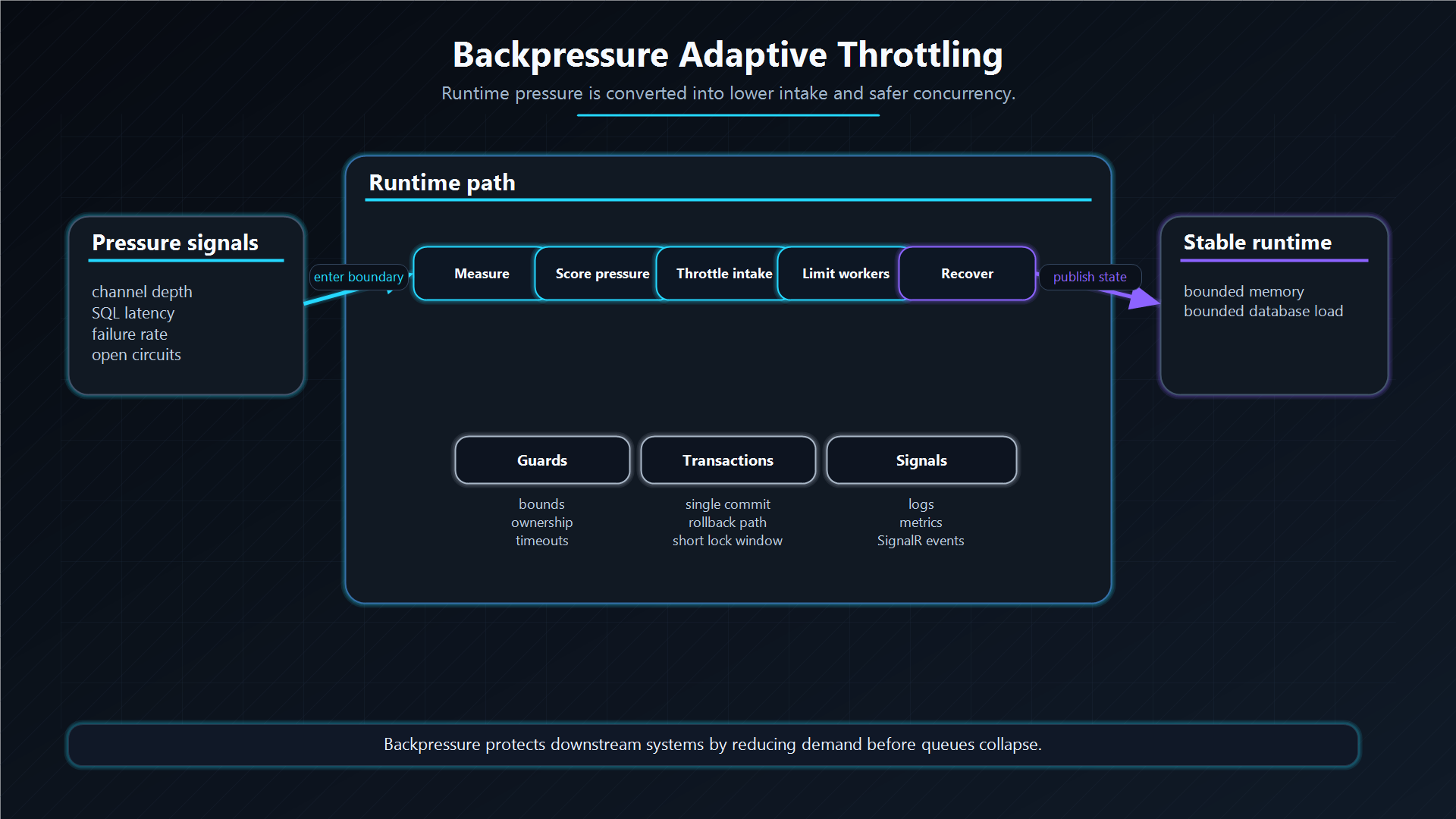
The important distinction: in-memory mode pushes pressure back to the caller in the same process, while SQL mode stores the backlog durably and lets queue lag, health checks, and worker capacity tell operators when to scale or slow producers.
In-Memory Mode
In-memory mode has two pressure controls:
InMemory.MaxCapacitycontrols how much job history the in-process Three Pillars store keeps.InMemoryQueueuses a boundedChannel<IChokaQJob>so producer calls do not create an unbounded notification buffer.
The default InMemory.MaxCapacity is 100000.
{
  "ChokaQ": {
    "InMemory": {
      "MaxCapacity": 100000
    }
  }
}
When storage reaches this soft cap, it evicts old Archive rows first and old DLQ rows second. Hot rows are preserved because they are accepted work that the worker still needs to see. This is intentionally not a production durability policy: if the process dies, in-memory data is gone.
Producer calls write to a bounded channel after the Hot row is accepted. When the channel is full, WriteAsync waits until workers drain room. That wait is the backpressure signal: the caller experiences slower enqueue latency instead of the process growing memory without a bound.
Use in-memory mode when losing process-local work is acceptable or when the host already owns a higher-level replay mechanism.
SQL Server Mode
SQL Server mode uses the database as the durable backlog:
SqlChokaQQueue.EnqueueAsyncserializes the job and inserts a Pending row intoJobsHot.- The producer returns after the SQL command commits.
SqlJobWorkerpollsJobsHot, claims rows atomically, and places claimed rows into a bounded local prefetch buffer.- When the local buffer is full, the fetcher stops claiming more rows until processors drain it.
This means producer backpressure is mostly database pressure: connection pool limits, command timeouts, SQL Server IO/log throughput, and application-level rate limits. ChokaQ does not drop new jobs because workers are behind. The backlog remains in JobsHot until workers catch up, operators pause/requeue work, or retention/administrative policies act on history.
The SQL worker's prefetch buffer is deliberately not a second durable queue. It is a small in-process smoothing buffer. If the worker stops before executing prefetched rows, shutdown and abandoned-fetch recovery release those rows back to Pending so another worker can claim them.
What To Watch
Backpressure should be observed through age, not just count.
| Signal | Meaning | Action |
|---|---|---|
| Queue lag | Oldest Pending jobs are waiting too long | Add workers, raise queue MaxWorkers, split queues, or reduce producer rate |
| Worker health | Worker loop stopped or heartbeat is stale | Restart host, inspect logs, check dependency failures |
| SQL command timeout | Database cannot keep up with storage/admin reads/writes | Tune indexes, reduce dashboard/admin load, scale SQL, or slow producers |
| DLQ rate | Workers are processing but jobs are failing | Fix downstream dependency, payload, timeout, or code issue |
Queue depth can be useful, but age gives the stronger operational signal. A queue with many tiny jobs can be healthy; a queue with a few very old jobs can be saturated. ChokaQ therefore exposes queue lag in The Deck and health checks.
Tuning Levers
| Lever | Applies to | Effect |
|---|---|---|
Queue MaxWorkers | SQL and in-memory fetch paths | Limits concurrent active jobs per queue |
| Worker count | Worker manager / The Deck | Controls process-local execution parallelism |
SqlServer.PollingInterval | SQL worker | Controls idle polling frequency when queues are active |
SqlServer.NoQueuesSleepInterval | SQL worker | Controls sleep time when all queues are paused or inactive |
SqlServer.CommandTimeoutSeconds | SQL storage | Caps time spent in ChokaQ SQL commands |
InMemory.MaxCapacity | In-memory storage | Caps retained in-process history before old Archive/DLQ eviction |
Worker.PausedQueuePollingDelay | In-memory worker | Prevents paused queues from creating a tight requeue loop |
Recommended Operating Model
For production workloads, use SQL Server mode and treat JobsHot as the durable pressure boundary. Alert on queue lag and worker health, not only on process CPU or memory. If lag rises while failures are low, scale workers or reduce producer rate. If lag rises with SQL timeouts, the database is the bottleneck. If DLQ rate rises, capacity is probably not the root cause; inspect failure taxonomy first.
For in-memory workloads, keep InMemory.MaxCapacity explicit and small enough for the host process. Remember that in-memory mode protects the process from unbounded local buffers, but it does not protect accepted work from process loss.
Architecture Decision
ChokaQ deliberately separates durable backlog pressure from local execution pressure. SQL Server mode accepts work into JobsHot and lets the database be the source of truth for backlog, while workers use bounded prefetch and queue limits to avoid turning one process into an unbounded second queue.
The alternative would be producer-side rejection when workers are behind. That can be useful for request throttling, but ChokaQ chooses a different default for durable background work: once a job is accepted, the caller can expect it to survive restarts and temporary worker shortages. ChokaQ therefore treats enqueue success as durable acceptance and exposes queue lag, SQL latency, and worker health as the pressure signals operators should act on.
The trade-off is explicit: the system protects accepted jobs, but it does not magically protect the database from an unlimited producer. Production systems still need API rate limits, capacity planning, alerting, and queue-specific worker limits.
Additional Questions
Why not use an unbounded channel between fetch and processing?
Because an unbounded channel hides pressure until memory becomes the failure mode. A bounded channel makes the fetch loop stop claiming more rows when local processors cannot keep up.
Why does SQL mode not block producers when workers are saturated?
Because SQL mode uses JobsHot as the durable backlog. Once a row commits, the job is accepted and restart-safe. Saturation is handled operationally through lag, scaling, pausing, bulkheads, and producer rate limits.
When should a team not use this model?
If a workload requires synchronous admission control with strict immediate rejection under pressure, put a rate limiter or quota check before enqueue. ChokaQ's queue is the durable execution boundary, not the only traffic-control mechanism in the application.
Next: Review the In-Memory Engine details or the SQL Concurrency fetch path.